Key Takeaways
The Dell PowerEdge R340 is a single-socket 1U server supporting Intel Xeon E-2200 processors with up to 64GB DDR4 ECC RAM, making it ideal for entry-level deployments, remote offices, and SMB environments requiring cost-effective solutions.
Storage configuration is critical: choose 4x 3.5-inch drives for high-capacity NAS/backup or 8x 2.5-inch drives for higher IOPS database workloads; pair with H730P (2GB cache) for most production environments or H740P for write-intensive applications.
iDRAC9 remote management eliminates on-site technical staff requirements at remote branches, providing browser-based access, hardware health monitoring, and firmware updates via dedicated management port—reducing operational overhead significantly.
Configure memory based on workload: 16GB for single-application services (Active Directory/DNS), 32-64GB for lightweight hypervisors or containerized workloads; always use ECC memory in production to prevent silent data corruption.
Dual redundant PSUs (350W standard, 550W upgrade) are essential for remote office deployments to minimize downtime; verify chassis depth compatibility (21.45″ or 23.45″) with rack infrastructure before procurement.
Establish quarterly firmware review cycles covering iDRAC9, BIOS, RAID controller, and NIC drivers using iDRAC9 Lifecycle Controller or Dell OpenManage Enterprise for batch deployment across multiple R340 units in distributed environments.
The Dell PowerEdge R340 represents one of the most capable entry-level 1U rack servers available for remote offices, branch locations, and small-to-mid-sized business environments. Released as part of Dell’s 14th-generation server lineup, the R340 delivers a compelling balance of processing power, storage flexibility, and remote management capability — all within a compact rack footprint. For IT managers and procurement specialists evaluating cost-effective server solutions, the R340 continues to be a relevant platform, particularly when sourced as a pre-owned unit through a trusted IT partner. Understanding how to properly configure this server for your specific workload and infrastructure is essential to maximizing its value. This guide walks through the key configuration decisions — from processor and memory selection to RAID controller options and rack deployment — so your team can deploy the R340 with precision and confidence.
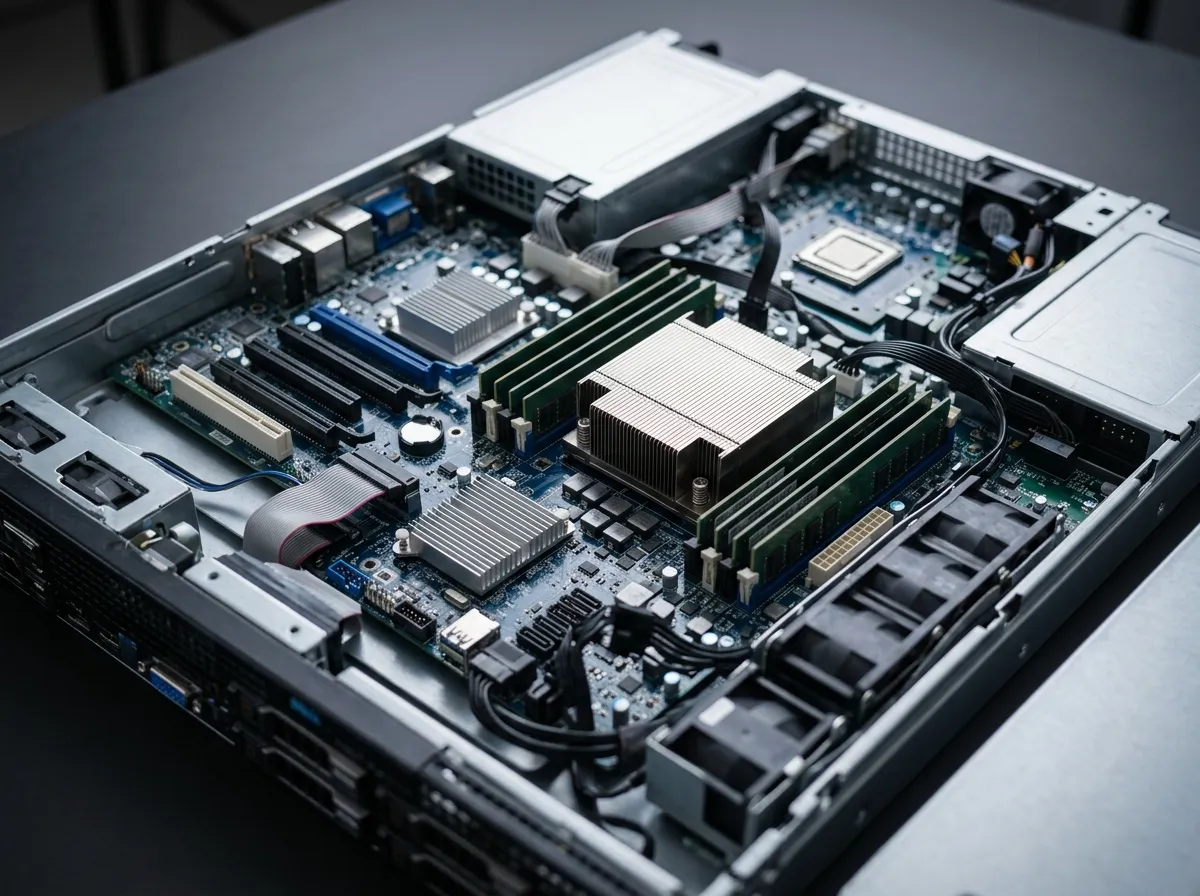
Understanding the Dell PowerEdge R340 Hardware Architecture
Before configuring any server platform, a thorough understanding of its underlying architecture is essential. The Dell PowerEdge R340 is a single-socket 1U rack server built around Intel’s Xeon E-2200 series processors, though it also supports Intel Pentium, Core i3, and Celeron processors depending on workload requirements. This single-socket design makes the R340 highly efficient for departmental applications, file and print services, point-of-sale systems, and web hosting workloads that do not demand multi-socket scalability.
The server supports up to 64GB of DDR4 UDIMM ECC RAM at 2666MT/s across four DIMM slots, providing adequate memory headroom for virtualization-light environments and data-intensive productivity applications. The chassis is available in two depth configurations: 21.45 inches for the 4x 3.5-inch drive bay variant and 23.45 inches for the 8x 2.5-inch drive bay variant. For teams planning rack deployments, these dimensions are critical inputs when evaluating cabinet compatibility.
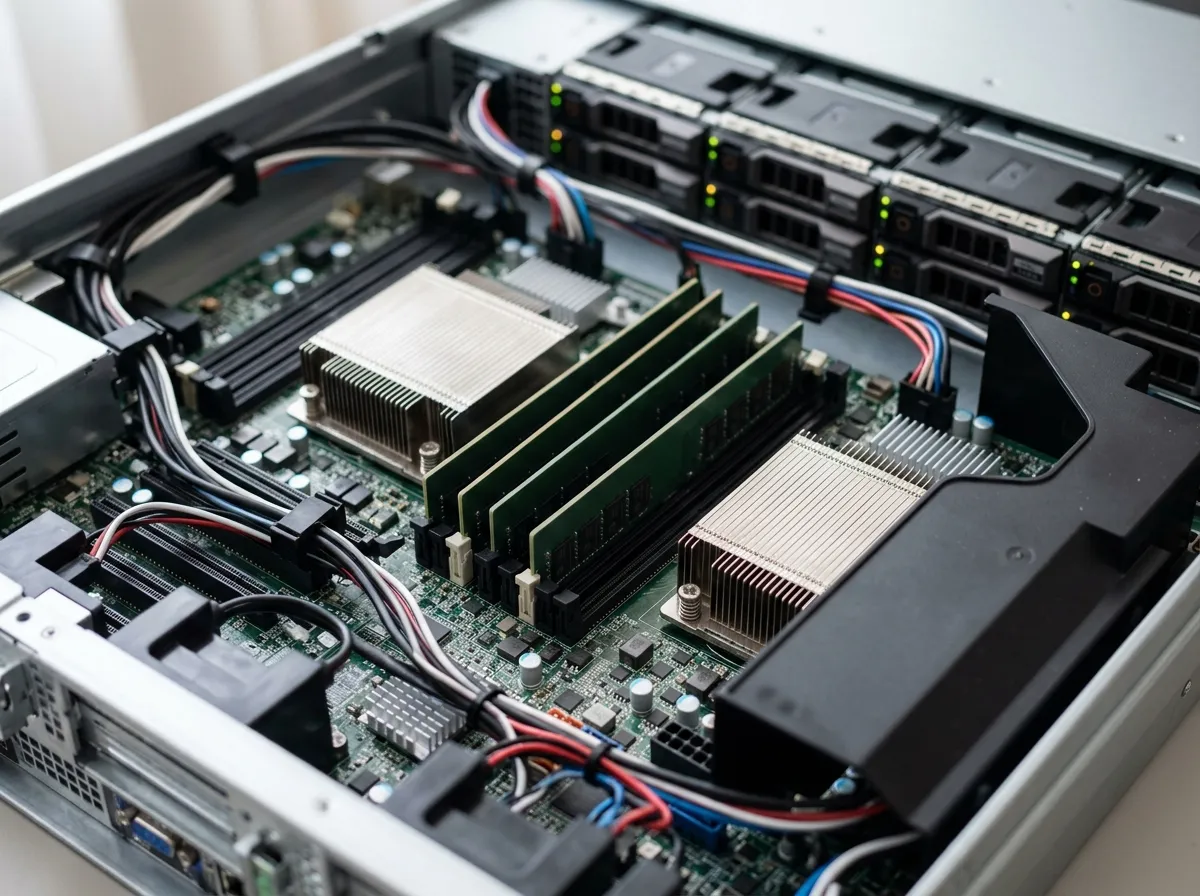
Step-by-Step: Configuring the Dell PowerEdge R340
Step 1 — Select the Appropriate Processor
The processor you select for the Dell PowerEdge R340 should align directly with your anticipated workload profile. For general-purpose file sharing and light application serving, an Intel Core i3 or Pentium processor provides adequate performance at a lower thermal envelope. For more demanding environments — such as database hosting, light virtualization, or ERP applications — the Intel Xeon E-2200 series is the preferred choice. The Xeon E-2200 supports ECC memory, Intel vPro technology, and hardware-accelerated AES encryption, which are non-trivial advantages in enterprise contexts.
Step 2 — Configure Memory for Your Workload
The R340 provides four DIMM slots supporting DDR4 UDIMM ECC memory at speeds up to 2666MT/s, with a maximum capacity of 64GB. For single-application workloads such as Active Directory or DNS/DHCP serving, 16GB is typically sufficient. Environments running lightweight hypervisors or containerized workloads should be configured with 32–64GB to ensure adequate headroom during peak utilization. ECC memory is strongly recommended in production environments to detect and correct single-bit memory errors, reducing the risk of silent data corruption.
Step 3 — Choose the Right Storage Configuration
Storage configuration is one of the most consequential decisions when deploying the Dell PowerEdge R340. The server supports two primary chassis formats:
4x 3.5-inch SAS/SATA drives — ideal for high-capacity NAS, backup repositories, or media storage
8x 2.5-inch SAS/SATA/SSD drives — optimized for higher IOPS workloads, database hosting, or mixed storage environments
When planning storage for the R340, consider whether your application demands sequential throughput (favoring larger SATA drives) or random IOPS (favoring SSDs in the 2.5-inch bay configuration). For organizations requiring dedicated storage expansion beyond the server itself, Dell PowerVault MD1400 external storage enclosures are a compatible and scalable complement to the R340.
Step 4 — Select the RAID Controller
Selecting the appropriate RAID controller is critical to both data protection and performance on the Dell PowerEdge R340. Dell offers four RAID options for this platform:
RAID Controller | Type | Cache | Best Use Case |
|---|---|---|---|
HBA330 | HBA (Pass-through) | None | Direct storage attachment, SAN environments |
H730P | Hardware RAID | 2GB | Mixed workloads, moderate I/O environments |
For most production environments, the H730P with 2GB cache delivers an optimal balance of performance and data protection.
Step 5 — Configure Power Supply Redundancy
The Dell PowerEdge R340 you have the option of dual 350W PSUs or 550W PSUs. For remote office deployments where power redundancy is essential to minimize downtime, the dual-PSU configuration is the recommended baseline. The server’s chassis weighs approximately 13.6 kg (29.98 lb) without a bezel or redundant PSU, a relevant figure when planning rack loading and UPS capacity.
Step 6 — Configure PCIe Expansion
The R340 provides two PCIe Gen3 expansion slots, supporting a range of add-in cards including additional NIC ports, HBAs, and GPU accelerators for specific use cases. Common PCIe additions for the R340 include:
Dual-port 10GbE NIC for high-bandwidth applications or iSCSI storage connectivity
Fibre Channel HBA for SAN-attached storage environments
NVMe PCIe SSD adapters for ultra-low-latency storage requirements

Remote Management with iDRAC9
The Dell PowerEdge R340 is equipped with iDRAC9 (Integrated Dell Remote Access Controller 9), which provides browser-based remote access, hardware health monitoring, virtual console, and integration with Dell OpenManage software.
For distributed IT environments with servers deployed at remote branch locations — a common scenario for enterprise IT managers — iDRAC9 eliminates the need for on-site technical staff to perform routine diagnostics, firmware updates, and system resets. This significantly reduces operational overhead and supports a proactive maintenance posture.
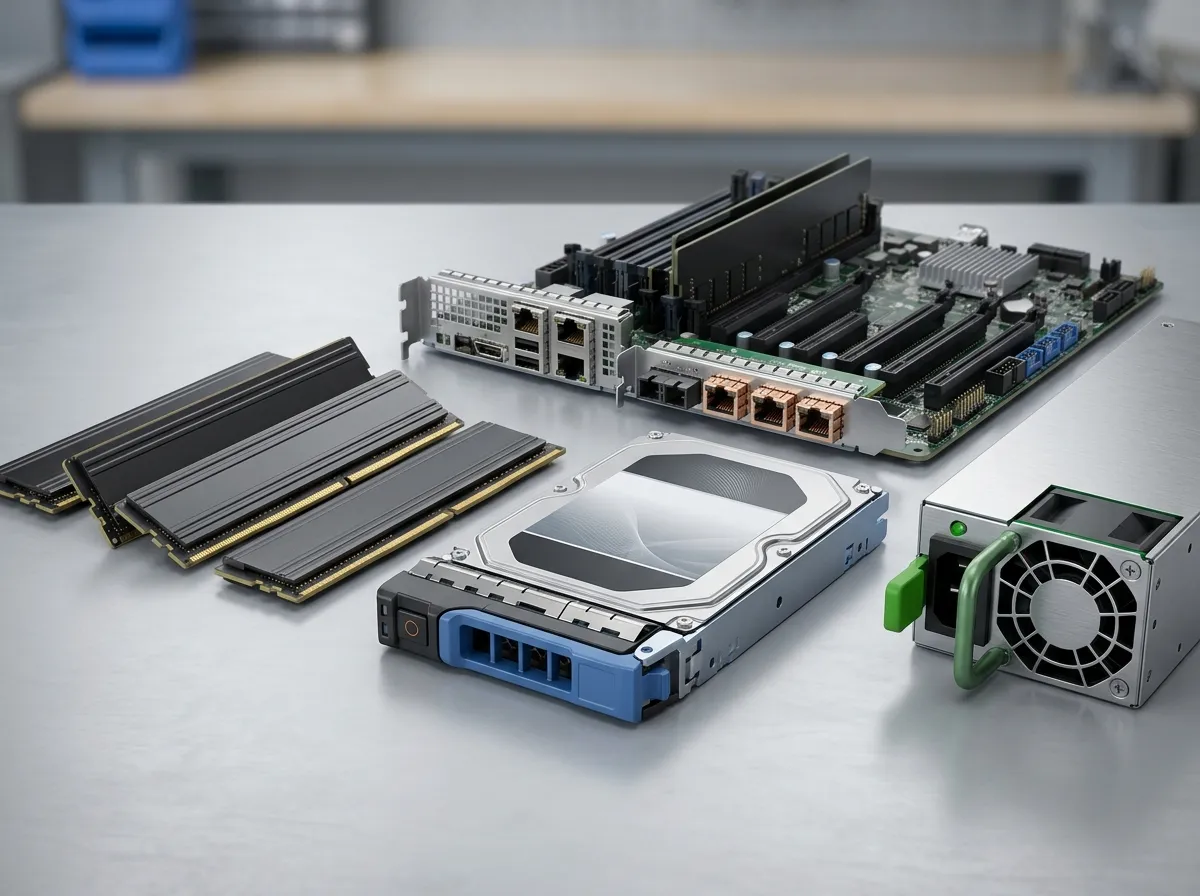
Dell PowerEdge R340 Key Specifications Summary
Specification | Detail |
|---|---|
Form Factor | 1U Rack |
Processor Support | Intel Xeon E-2200, Pentium, Core i3, Celeron (single socket) |
Maximum RAM | 64GB DDR4 UDIMM ECC at 2666MT/s (4 DIMM slots) |
Drive Bays | Up to 8x 2.5″ or 4x 3.5″ SAS/SATA/SSD |
RAID Options | S140, HBA330, H730P (2GB), H740P (PCIe 3.1) |
PCIe Slots | 2x PCIe Gen3 |
Power Supply | Dual 350W or 550W redundant PSUs |
Remote Management | iDRAC9 with OpenManage integration |
Chassis Weight | 13.6 kg (29.98 lb) base |
Rack Deployment Considerations
Proper rack integration of the Dell PowerEdge R340 requires attention to chassis depth, rail kit compatibility, and cable management. The two chassis depth variants (21.45″ and 23.45″) must be matched to available rack depth before procurement. Dell’s ReadyRails sliding rail system is compatible with the R340 and supports tool-less installation in standard EIA-310-compliant 19-inch racks. Verify that your rack infrastructure meets the minimum depth clearance for the selected chassis variant before finalizing your deployment plan.
For data center operators managing high-density rack environments, ensuring adequate airflow around 1U servers is paramount. The R340 uses a front-to-rear airflow design, which must be aligned with your hot aisle/cold aisle containment strategy. Industry publications such as Network World consistently emphasize proper thermal management as a leading factor in server longevity and operational reliability.
Firmware and Software Management
Maintaining current firmware across the Dell PowerEdge R340 is essential for security compliance and operational stability. Dell provides firmware updates through several channels:
iDRAC9 Lifecycle Controller — Perform online firmware updates directly from the management interface without requiring OS interaction
Dell Repository Manager (DRM) — Create and manage custom update repositories for batch firmware deployment across multiple R340 units
Dell OpenManage Essentials / OpenManage Enterprise — Centralized management for firmware compliance reporting and scheduled updates across the server fleet
Dell Support Site (support.dell.com) — Manual download of individual firmware packages for targeted updates
IT teams managing multiple R340 deployments should prioritize iDRAC9 firmware, BIOS, RAID controller firmware, and NIC drivers as the core update cadence. Establishing a quarterly firmware review cycle is a best practice for organizations maintaining compliance with internal security policies.
Sourcing the Dell PowerEdge R340 Through a Trusted IT Partner
Trifecta Networks is a trusted IT partner for enterprises and mid-sized organizations sourcing Dell PowerEdge servers. As a Dell authorized solution provider, Trifecta Networks offers access to the full Dell PowerEdge server portfolio, supported by professional services including staging, configuration, and on-site implementation. Whether you are deploying a single R340 at a branch office or provisioning a fleet of rack servers for a distributed enterprise environment, working with an experienced IT partner ensures your configuration is optimized before the hardware ever arrives on-site. You can explore the full range of Dell PowerEdge servers available through Trifecta Networks to identify the right platform for your workload.
For organizations evaluating the R340 alongside other rack server options in the 14th-generation lineup, the Dell PowerEdge R440 (dual-socket 1U) and the Dell PowerEdge R540 (2U) are natural adjacencies worth reviewing. For AI and GPU-intensive workloads at the enterprise level, see the Dell PowerEdge R940. Trifecta’s professional services team can assist with workload-to-platform alignment to ensure your infrastructure investment delivers the expected performance outcomes. You can also visit Trifecta Networks on Google to read customer reviews and learn more about what our clients say about our IT hardware solutions and service delivery.
IT procurement specialists and asset managers should also consider the full lifecycle implications of server deployment. Trifecta Networks provides IT Asset Disposal (ITAD) services, enabling responsible decommissioning of end-of-life hardware with certified data destruction and environmentally compliant disposal — a critical component of any enterprise hardware refresh strategy. For additional technical insights from industry peers, the Technology Reseller News publication offers ongoing coverage of enterprise IT hardware trends relevant to procurement decisions.
Conclusion
The Dell PowerEdge R340 remains a highly capable 1U rack server for entry-level enterprise, remote office, and SMB deployments. By methodically selecting the appropriate processor, memory, storage configuration, RAID controller, and power supply options — and by leveraging iDRAC9 for ongoing remote management — IT teams can extract maximum operational value from this platform. Whether you are deploying a net-new R340 or refreshing existing infrastructure, a structured configuration approach ensures the server performs reliably within your specific environment.
Ready to deploy or upgrade your server infrastructure with the Dell PowerEdge R340? Request a Quote from Trifecta Networks today and work with our team to configure the right Dell PowerEdge solution for your workload, budget, and deployment timeline.
FAQs
Q: What are the maximum memory and processor specifications for the Dell PowerEdge R340?
A: The Dell PowerEdge R340 supports a single processor socket compatible with Intel Xeon E-2200 series, Core i3, Pentium, and Celeron processors. Maximum memory capacity is 64GB DDR4 UDIMM ECC at 2666MT/s across four DIMM slots.
Q: What RAID controller options are available on the Dell PowerEdge R340?
A: The R340 supports four RAID configurations: Software S140 (no cache), HBA330 (pass-through) and H730P hardware RAID with 2GB cache. The H730P is the recommended baseline for most production workloads.
Q: Is the Dell PowerEdge R340 suitable for remote office and branch deployments?
A: Yes, the R340 is specifically designed for remote office and branch office (ROBO) environments. Its 1U form factor, iDRAC9 remote management, and redundant PSU options make it well-suited for locations where on-site IT staffing is limited.
Q: What storage configurations are supported on the Dell PowerEdge R340?
A: The R340 supports either up to 4x 3.5-inch SAS/SATA drives or up to 8x 2.5-inch SAS/SATA/SSD drives, depending on the chassis configuration selected. The 2.5-inch bay variant provides higher IOPS potential, while the 3.5-inch variant is optimized for capacity-dense workloads.
Q: How do I update firmware on a Dell PowerEdge R340?
A: Firmware updates on the R340 can be performed via iDRAC9 Lifecycle Controller, Dell Repository Manager, Dell OpenManage Enterprise, or manual downloads from the Dell support portal. A quarterly firmware review cycle covering iDRAC9, BIOS, RAID controller, and NIC drivers is considered best practice for production environments.